
DIRECTV: TV & Movie Streaming
DIRECTV, LLCEntertainment
4.627.30K Reviews
- Version
- Varies With Device
- Installs
- 10.00M
- Age Rating
- Teen
Screenshots
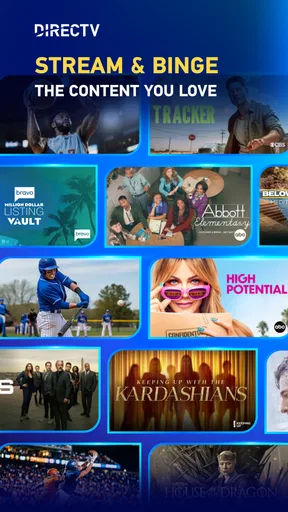
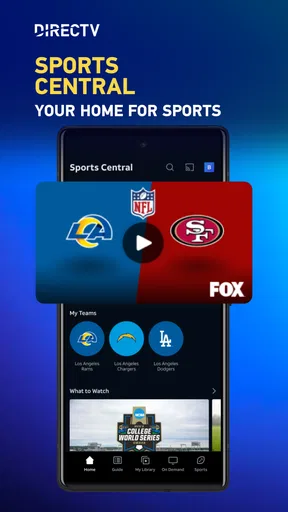
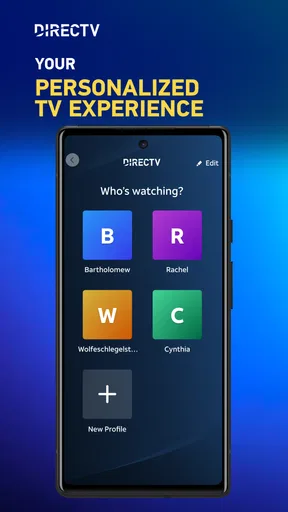
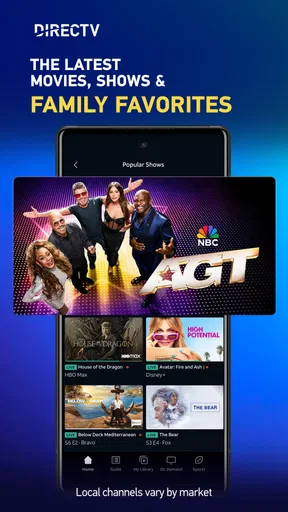

Our Review of DIRECTV: TV & Movie Streaming
 Analysis by Appyee
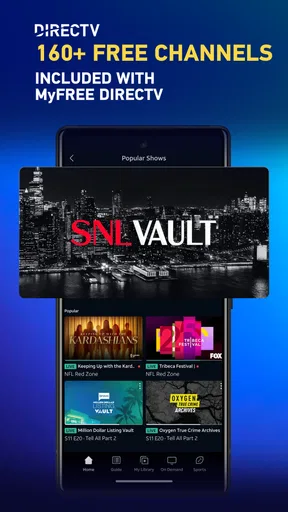
I found DIRECTV: TV & Movie Streaming most useful when I treated it as a flexible entertainment screen rather than as a complete replacement for every television setup. It is an entertainment app from DIRECTV, LLC, and its main appeal is the chance to watch live programming alongside movies and series in one place. The free entry point is especially interesting because MyFree DIRECTV offers more than 150 live channels without requiring the first step to be a paid subscription.
What stood out during my time with it was not simply the size of the catalog, but how the app fits different viewing situations. I could imagine using it for background television while cooking, a quick live-news check, a casual movie night, or sports viewing when I did not want to sit at a traditional television. At the same time, the experience depends heavily on how comfortable you are with streaming menus, changing content availability, and the possibility of in-app purchases ranging from $4.99 to $82.99 per item.
How the app feels to read and navigate
The most important first impression is that this is built for people who want to browse visually. Live channels, films, series, and sports naturally compete for attention, so I found that the experience works best when I already knew roughly what kind of content I wanted. If I opened it with a clear intention—such as finding something live or looking for a movie—the service felt easier to approach than when I simply wandered through every section.
For readers who rely on larger text or stronger visual separation, streaming interfaces can be tiring because they often place compact labels over image-heavy cards. DIRECTV: TV & Movie Streaming is therefore more comfortable when the phone or tablet display is large enough for you to distinguish artwork, titles, and controls without constant zooming. I would personally choose a tablet or television-sized screen for longer sessions, especially when browsing several rows.
The app’s free live-TV area is a useful starting point because it gives a new user something concrete to explore before deciding whether the broader DIRECTV experience suits them. I recommend beginning there rather than immediately trying to understand every available section. That simple approach reduces menu fatigue and makes it easier to judge whether the channel mix matches your habits.
My practical navigation tip is to decide whether you are browsing live television or on-demand entertainment before opening the app. Those are different moods. Live viewing rewards quick scanning, while movies and series reward more deliberate selection. Separating those intentions helped me avoid repeatedly moving through the same visual rows.
The app has a mature presence in the store, having been released on November 30, 2016. That history helps explain why it feels like a full television service rather than a single-purpose player. It also means new users should expect several layers of content and account-related choices instead of a bare, minimalist interface.
Reading comfort depends on the device and the viewing distance
On a phone, the small screen makes program discovery more demanding for anyone with limited vision, visual fatigue, or difficulty distinguishing similar colors. I would not describe this as a reason to avoid the app entirely, but it does affect where I would use it. A phone is fine for checking what is on or starting a short session; a tablet, cast display, or television is more sensible for sustained viewing.
People who find dense screens difficult may benefit from changing the device’s own display settings before using the app. Larger system text, increased contrast, and a brighter but comfortable screen can improve the surrounding interface, although the effect on every in-app label may vary. I would test these adjustments with the free live channels first, because that gives a low-commitment way to see whether the visual presentation works for you.
The Teen content rating is also relevant to shared-device households. It does not tell me that every program is suitable for every viewer, so I would still check what is being selected before handing a phone or tablet to a younger family member. For families, the practical question is not only whether the app opens easily, but whether the person using it can make sensible choices from a broad entertainment catalog.
Motor and sensory considerations during everyday use
Streaming can be physically demanding in small ways: tapping a moving target, scrolling through long rows, returning to a previous screen, or adjusting playback while holding a device. I found that the app is easiest when the device is supported on a table or stand rather than held continuously. That is a small change, but it matters for anyone with hand fatigue, tremor, limited reach, or discomfort from repeated gripping.
For users who have difficulty with precise touch, I would avoid trying to operate the app while walking or during a busy task. A stable position gives more time to select a channel or title accurately. It also lowers the chance of accidentally opening a purchase screen, which is worth remembering because the app includes paid items. I prefer to slow down at any screen involving account choices or payment rather than tapping through quickly.
People who are sensitive to loud changes in volume should start playback at a low level and keep the device’s volume controls accessible. Live channels can feel less predictable than a single on-demand film because the content changes continuously. That makes the app convenient for casual watching, but less ideal if you need complete control over when sound begins or what appears next.
Closed captions, audio description, and other playback support can be important to viewers with hearing or vision differences. I would check the playback controls on the specific program rather than assuming that every channel or title offers identical options. Streaming services often vary by content, and the useful habit here is to test the exact program you plan to watch before settling in for a long session.
This is one of the app’s less obvious trade-offs: a large live-TV selection can improve choice while reducing predictability. Someone who enjoys sampling channels may find that liberating. Someone who needs consistent sensory conditions may prefer a carefully selected on-demand title or another service with more control over the viewing environment.
Situational access: where DIRECTV fits best
I can see this app working well in a shared home where one person wants television without taking over the main screen. A family member could use a tablet for a live channel while another person watches something else, provided the household’s accounts and viewing arrangements support that use. The important benefit is flexibility: the entertainment is no longer tied to one physical television set.
It also makes sense for a short break during a commute or while waiting somewhere, although I would be cautious about relying on live streaming in places with inconsistent connectivity. A live channel is less forgiving than downloaded content because interruptions are immediately noticeable. If your situation involves unreliable internet, limited data, or strict battery limits, the app may be better reserved for Wi-Fi and shorter sessions.
For someone who cannot easily reach a television remote, a mobile app can feel more approachable because the screen is close and the controls are visible. That advantage depends on being comfortable with touch interaction. If navigating a phone is itself difficult, the app may not remove the barrier; it may simply move the controls from a physical remote to a smaller surface.
Sports are another strong use case. Live sports benefit from immediate access, and the app’s focus on live programming gives it a clear role when I want to follow an event rather than wait for a recording. Still, sports viewers should think about the importance of timing and reliability. A brief interruption is more frustrating during a decisive moment than during a casual series episode, so I would use the strongest available connection for that kind of viewing.
For older adults or first-time streamers, I would set up the app together with them rather than handing over the device and expecting everything to be obvious. Start with one familiar channel, demonstrate how to return to the main screen, and explain which buttons change the program versus open a new section. That short introduction can make a broad service feel much less intimidating.
Where it compares with ordinary alternatives
Compared with a traditional cable or satellite box, the app offers more freedom about where I watch, but it replaces a physical remote with touch navigation and an internet connection. A conventional television setup may be easier for someone who already knows its remote controls and prefers a stable, large-screen interface. The app is the better fit when portability and access to a personal screen matter more than simplicity.
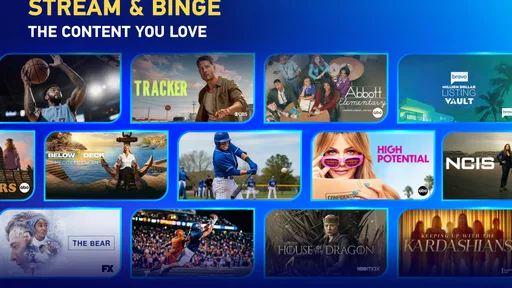
Compared with a free, single-purpose video app, DIRECTV: TV & Movie Streaming feels broader because live channels, movies, series, and sports sit within the same entertainment destination. The trade-off is that a general video platform may feel faster if you only want short clips or creator-focused content. I would choose DIRECTV when I want the feeling of turning on television, not when I am searching for a narrow type of online video.
Compared with a paid on-demand service, its free live-TV offering changes the value calculation. You can explore MyFree DIRECTV without paying an entry price, while the wider experience may involve in-app purchases. I would not assume that “free” means every part of the service is included. Instead, I would use the free area to learn the interface and content style, then read each purchase screen carefully before committing.
The app has a 4.6 average from around 137 thousand ratings, with more than 10 million installs. Those figures suggest that it has reached a substantial audience, but they do not remove the need to judge it against your own access needs. A popular streaming app can still be uncomfortable for someone who needs very large controls, predictable audio, or minimal navigation.
Remaining barriers and sensible workarounds
The first barrier is choice overload. More channels and content can sound universally positive, yet a person with cognitive fatigue may find endless browsing exhausting. My workaround is to create a small personal routine: open the live section for quick viewing, choose one familiar category for on-demand content, and stop browsing once I have found an acceptable option. The goal is to make the app serve the viewer, not turn every break into a search task.
The second barrier is the difference between watching and managing the service. Starting a program is simple enough, but account decisions, purchase prompts, and switching between types of content require more attention. I would never rush through a payment-related screen, especially on a shared device. If another family member is the primary account holder, agree in advance who is allowed to approve purchases.
The third barrier is environmental. Glare, background noise, weak connectivity, and a small screen can each make the same app feel dramatically different. For a viewer with hearing difficulty, headphones may improve clarity but can also isolate the person from nearby conversation. For someone with vision difficulty, a larger display may help more than increasing phone brightness. The right adjustment depends on the person and the setting.
I also think the app is a poor choice for anyone seeking a completely distraction-free experience. Its broad entertainment design encourages discovery, which is useful when I am undecided but less useful when I want one predictable program and nothing else. A focused player or a familiar broadcast setup may be easier for users who value routine above variety.
Another realistic limitation is that accessibility is not only a software question. A viewer may need help with account setup, device casting, volume control, or choosing suitable content. DIRECTV: TV & Movie Streaming can be part of an inclusive setup, but it cannot by itself solve every physical, sensory, or cognitive challenge around television use.
Who should try it, and who should skip it
I would recommend trying it if you want a free way to sample live television, enjoy the convenience of watching on a mobile device, or regularly switch between sports, series, movies, and channel surfing. It is particularly appealing to people who dislike committing to one program immediately and would rather explore what is available in the moment.
I would be more cautious if you need extremely simple navigation, depend on a fully predictable content environment, or have limited internet access. I would also skip it as a primary solution if your main requirement is a carefully controlled accessibility workflow and you cannot test the exact playback features you need. In that case, a more specialized service or a traditional television setup may be kinder to your routine.
The app is free to install, which makes testing practical. I would begin with a short session on the device you expect to use most, check whether the text and controls are comfortable, try a live channel, and then test an on-demand title. That process answers more useful questions than a quick glance at the app’s description: can you find content without strain, can you control playback confidently, and does the connection hold up where you normally watch?
Because in-app purchases run from $4.99 to $82.99 per item, I would treat the free experience as a trial rather than as a promise that every viewing option costs nothing. This is not necessarily a flaw, but it makes careful reading important for users who share devices, manage a fixed budget, or are supporting someone else’s account.
My inclusive verdict
After looking at it through the lens of different abilities and viewing contexts, I see DIRECTV: TV & Movie Streaming as a capable, flexible entertainment app with a genuinely useful free starting point. Its strongest quality is choice across live television, movies, series, and sports. That variety can support many households, especially when people need entertainment away from the main television.
Its inclusive value is more conditional. It works best on a comfortable screen, with a reliable connection, deliberate navigation, and enough time to understand account and purchase choices. Viewers with sensory or motor needs may find it perfectly workable after adjusting the setup, while others may encounter too much visual browsing or too little predictability.
I would recommend it as an app to test, not as an automatic answer for every viewer. Start with MyFree DIRECTV, use the device settings that make reading and touch control easier, and judge the exact programs you plan to watch. If that small trial feels comfortable, the service can become a convenient companion for live channels and on-demand entertainment. If it feels tiring or confusing, choosing a simpler viewing method is not giving up variety—it is choosing access that better matches your needs.
Verdict
Strengths of DIRECTV: TV & Movie Streaming
- Live access to sports, news, and major TV networks in one app.
- Cloud DVR lets you record programs and watch them later.
- Personalized recommendations make finding new content easier.
- Supports multiple profiles for sharing with household members.
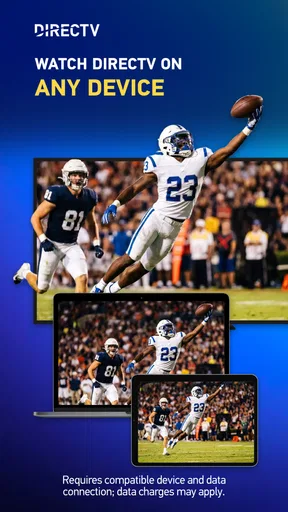
- Available on phones, tablets, smart TVs, and streaming devices.
Limitations of DIRECTV: TV & Movie Streaming
- Some channels and features require higher-priced subscription plans.
- Regional restrictions may limit access to certain sports broadcasts.
- The app can use substantial data when streaming over mobile networks.
- Content availability changes when licensing agreements expire.
- A stable, fast internet connection is needed for smooth HD playback.
Similar Picks in This Category
View All
Google Play Games
Google LLC3.9

Netflix
Netflix, Inc.4.8

YouTube Kids
Google LLC4.2

Disney+
Disney4.4

Prime Video
Amazon Mobile LLC4.7

Steam
Valve Corporation3.2
Frequently Asked Questions
What is DIRECTV: TV & Movie Streaming, and what can I watch with it?
DIRECTV: TV & Movie Streaming is a mobile streaming app for watching live television, movies, series, sports, news, and other entertainment content. The exact channels and on-demand library depend on your DIRECTV subscription and location. After signing in, you can browse available programming, view channel listings, search for titles, and continue watching selected content across supported devices.
Do I need a DIRECTV subscription to use the app?
Yes, most of the app’s main features require an eligible DIRECTV account and an active subscription. The channels, premium networks, sports packages, and on-demand titles you can access are determined by your plan. Before downloading, check that your subscription supports mobile streaming and that your account credentials are working, since the app is not generally a free replacement for paid television service.
Can I watch DIRECTV on my phone or tablet without Wi-Fi?
The app can usually stream over a cellular mobile-data connection as well as Wi-Fi, provided your device, account, and network meet the service requirements. Streaming live channels or high-quality video may use a considerable amount of data, especially during long viewing sessions. If your mobile plan has limited data, Wi-Fi is recommended, and downloading content for offline viewing may not be available for every title.
Does DIRECTV: TV & Movie Streaming support live sports and local channels?
The app may provide live sports, local stations, regional networks, and other channels included in your subscription, but availability varies by market, package, broadcast rights, and your current location. Some events can be restricted because of blackout rules or licensing agreements. It is worth confirming that your preferred teams, local channels, and sports networks are included before relying on the app for live game coverage.
What should I do if the DIRECTV app is buffering or not playing video?
If playback is buffering, start by checking your internet connection and switching between Wi-Fi and mobile data to identify whether the network is responsible. Closing and reopening the app, restarting the device, updating the application, and signing in again can also help. Older devices, outdated operating systems, VPNs, account restrictions, or temporary service outages may affect playback, so consult DIRECTV support if the problem continues.
